Video encoder
Impact
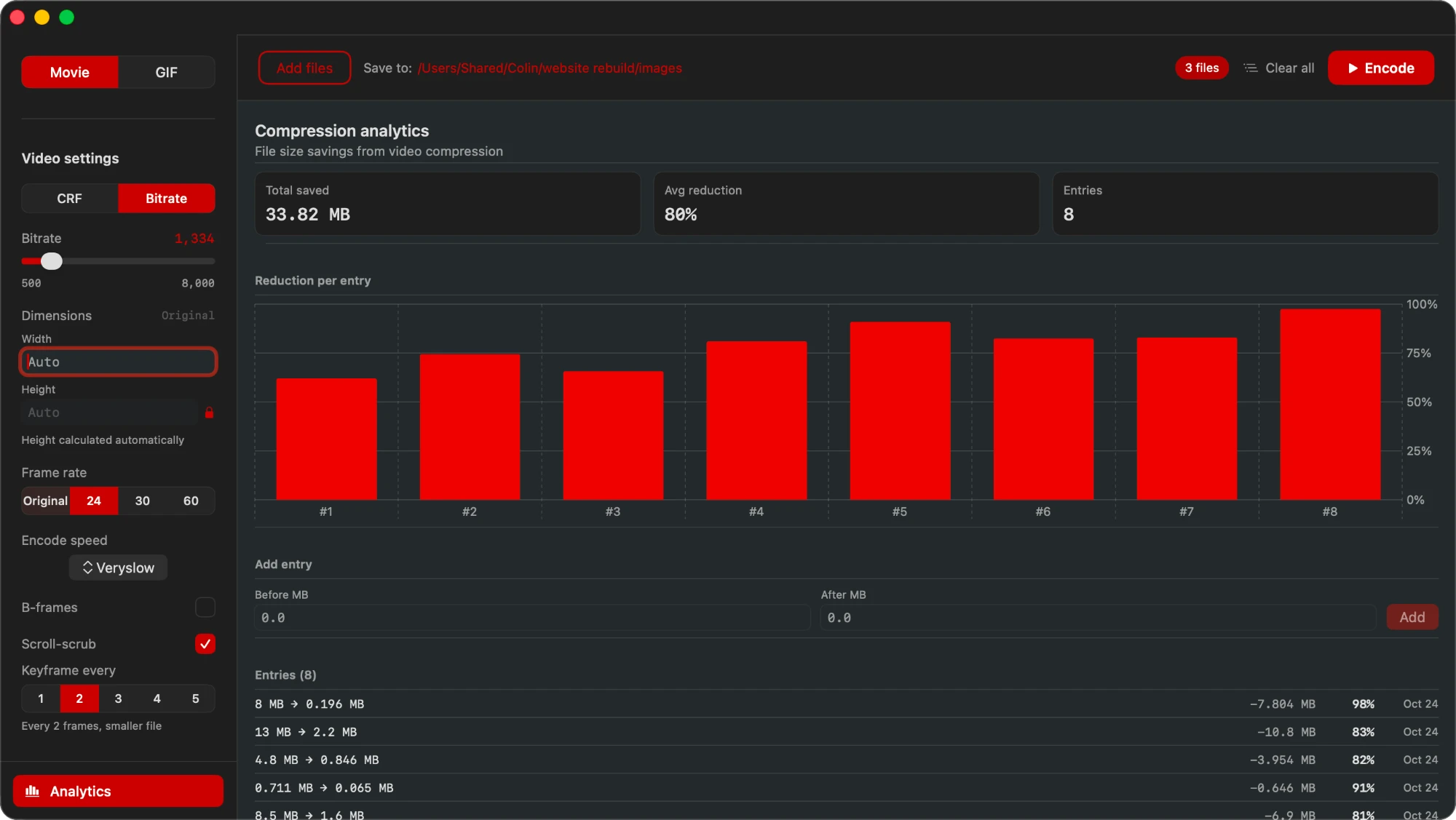
33.82 MB
File weight saved so far
79.7%
Average file size reduction
$0
Spent on Adobe
Why I made it
My site runs on a lot of video clips, and raw screen recordings are heavy. I wasn't going to pay Adobe just for an encoder, and I wasn't going to sneak personal videos through my work license. So I vibe coded a Mac app in Xcode that wraps ffmpeg, the free, open source tool basically every video app uses under the hood.
Drop in a pile of clips, pick your settings, and it spits out smaller MP4s or GIFs. That's it. No subscription, no upload to a sketchy website.
Iterations
v1: Initial build
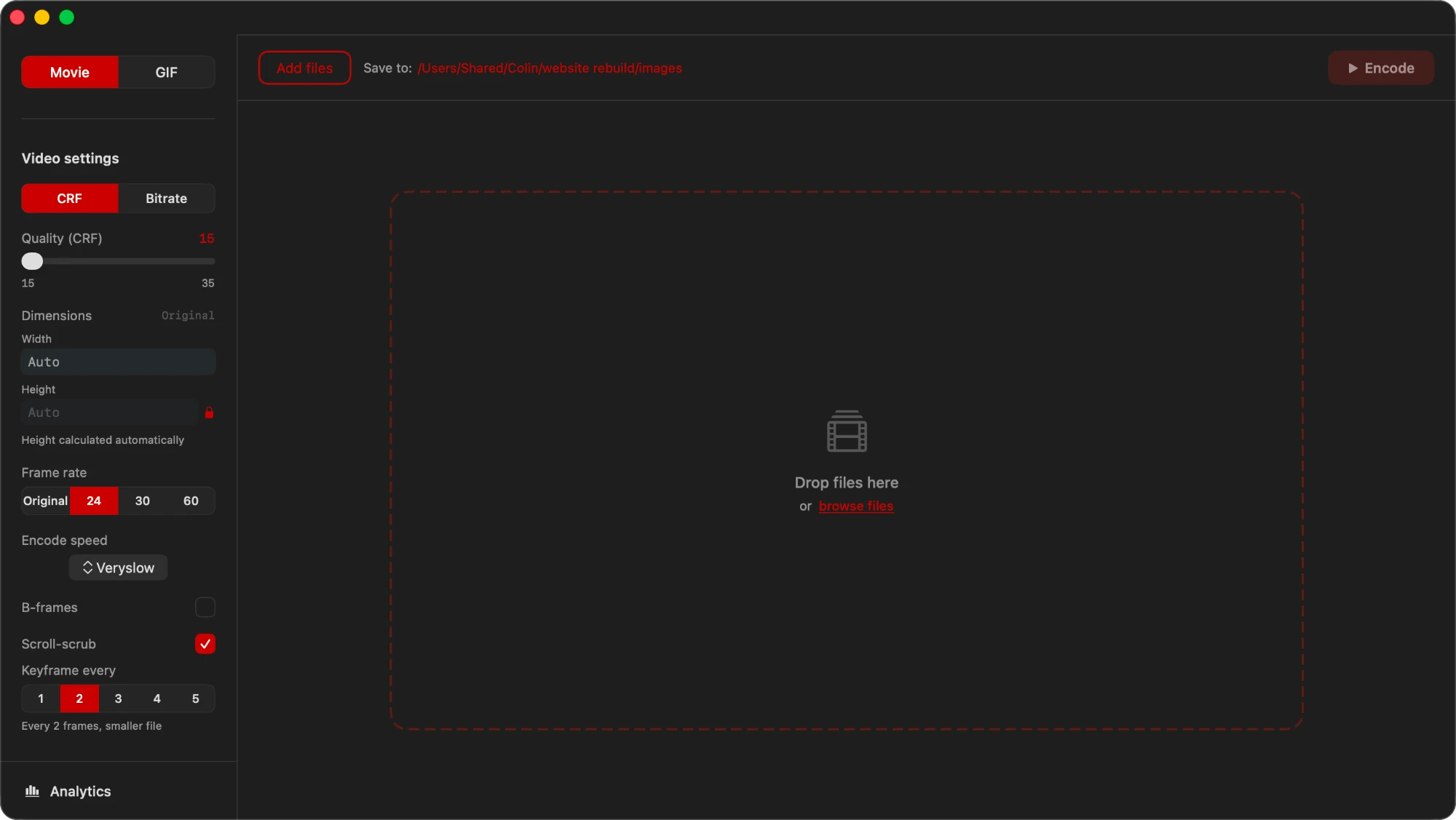
Drag and drop to bulk encode videos or GIFs to save time, with a real-time progress updater so I can see how much longer I'm stuck waiting.
- Quality by CRF or by bitrate, plus encode speed presets.
- Resize with a locked aspect ratio.
- Audio on or off, with a bitrate picker.
GIFs
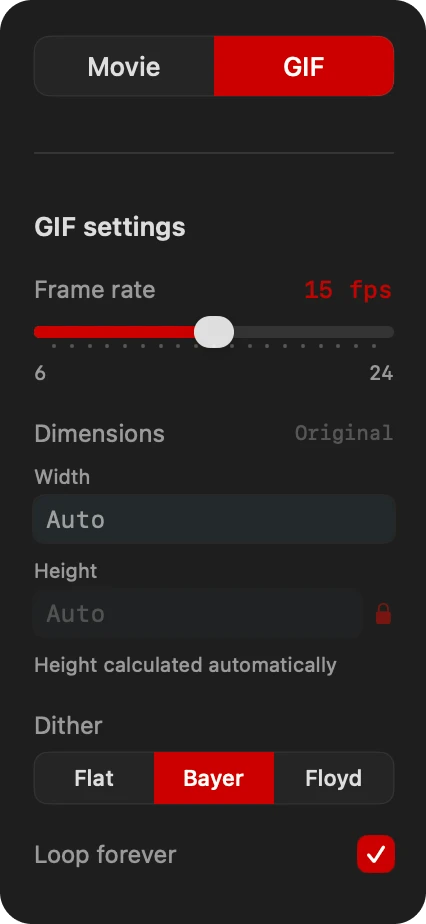
For the rare occasion that a GIF made more sense than a video file, I added GIF export too, since that part of ffmpeg is open source as well. Pick a frame rate, a size, a dither style and whether it loops forever.
v2.0: Scroll-scrub and analytics
After using the app for a while, I found that the scroll scrubbing videos on this site were really jumpy. After some digging, it turned out the videos needed more keyframes.
A normal MP4 only has a keyframe every few seconds. Every frame in between is stored as a change from the one before it, so jumping to a random spot means the browser has to rebuild everything back to the last keyframe first. Scrolling jumps around constantly, so it stutters. Scroll-scrub mode puts a keyframe on every frame, drops the audio, and moves the file's index to the front so it starts loading faster.
v2.0 also added Analytics, so now I have a place that tracks all of it: the before and after size of every video, the total saved and the average reduction.
v2.1: Slimming it down
After testing the new feature a bit, I realized the video files were now up to four times larger than the original, with a keyframe on every frame. So I added a few more features to help optimize, including frame rate and B-frame controls.
With the option to put a keyframe every 1 to 5 frames, I was seeing much better results, but the files still came out bigger than I was happy with, so I paused work there.
Also in this round:
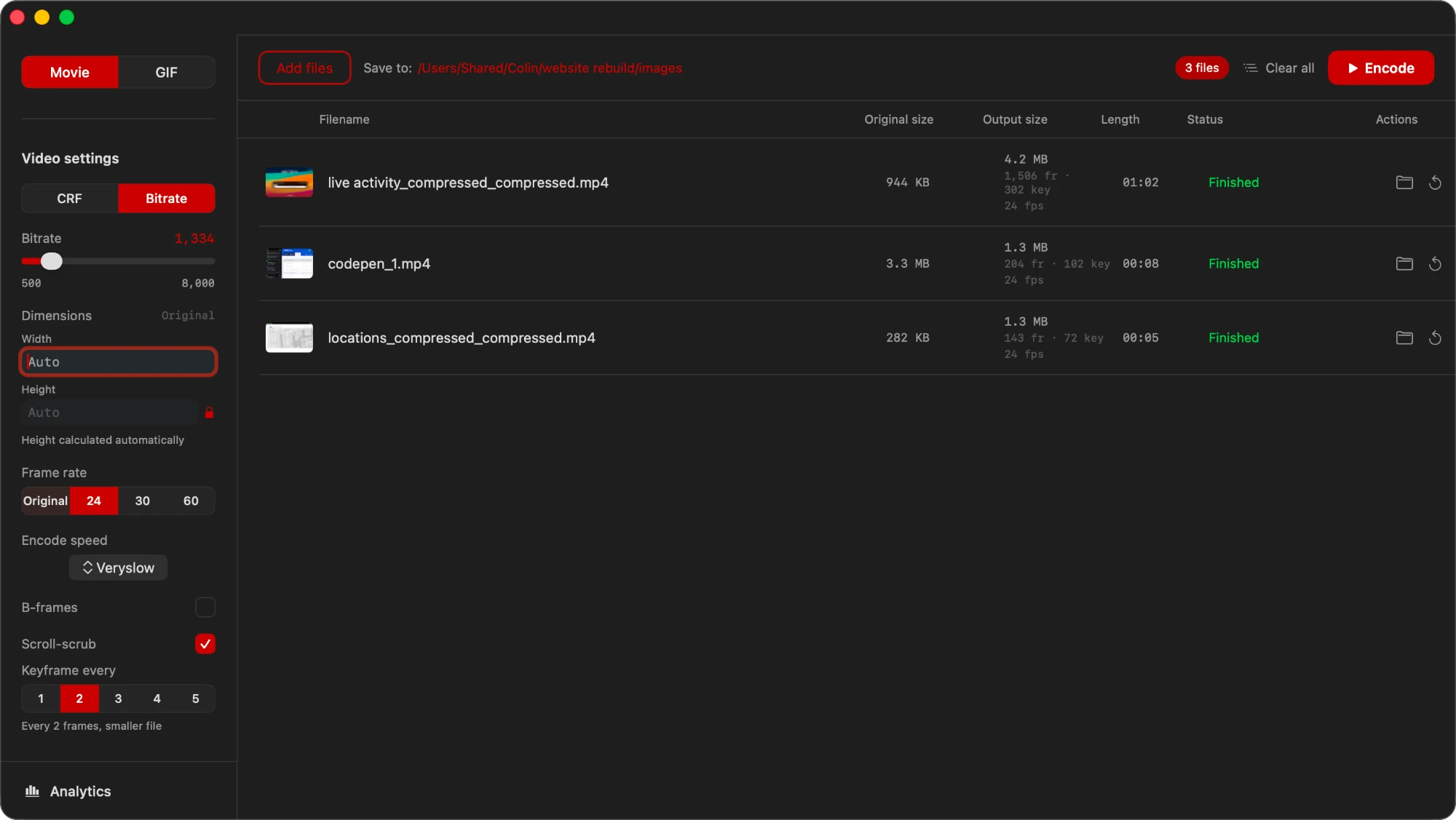
- Stats after every export. File size, frame count, keyframe count and frame rate, so I can check the scrub settings actually took.
- Reset. Send a finished file back to Ready and encode it again with new settings. Re-exports get numbered names so nothing gets overwritten.
- Apple silicon ffmpeg. The original ffmpeg build was Intel only, so macOS kept warning me it was going away. The Apple silicon build cleared the warning and encodes about 1.5 to 2 times faster.
- Fixed the queue header. It was so tall the first video started halfway down the window.